Chaining patterns into a longer session
The phase timeline lets you queue several presets in order, each fading into the next over 30 seconds. Build a 30-minute session in a minute.
A single preset works for short sessions, but for anything longer than 10 minutes, the same rhythm gets boring. The phase timeline lets you chain several presets in order. Each phase plays for a set length, then fades into the next over 30 seconds. Build a 30-minute session in a minute of clicking.
How it works
The Patterns tab has a row of preset chips at the top. Below them is a timeline area. You add phases by:
- Setting a duration in minutes for the next phase.
- Clicking a preset chip.
- The phase appears in the timeline.
Repeat for as many phases as you want. Then click Play timeline and the session starts.
Each phase plays for the duration you set. With 30 seconds left, ToyControl starts blending to the next phase, so the transition is smooth instead of jarring.
A sample session
A timeline with four phases queued looks like this:
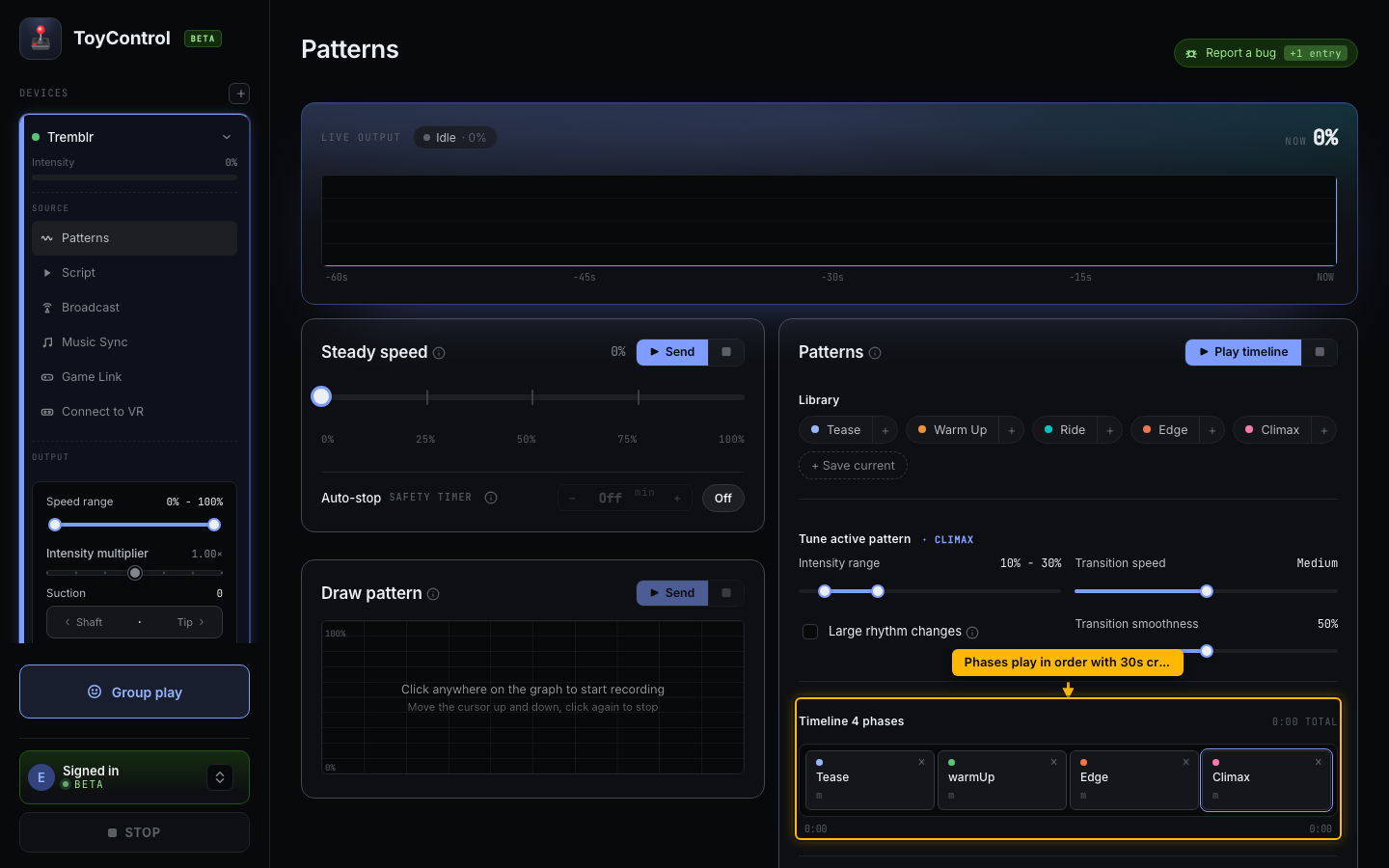
A 30-minute warm-to-finish:
- Set duration to 5 minutes.
- Click Tease. (First phase, gentle.)
- Set duration to 10 minutes.
- Click Warm Up. (Builds energy.)
- Set duration to 10 minutes.
- Click Edge. (Big swings.)
- Set duration to 5 minutes.
- Click Climax. (Fast finish.)
Total: 30 minutes, four phases, automatic transitions.
Changing the timeline
Each phase in the timeline has an X button that removes it. Phases play left to right. To reorder, remove and re-add.
There is no drag-and-drop in the current version; the simplest way to restructure is to clear and rebuild.
Clearing and playing
- Clear deletes all phases. Start over.
- Play timeline runs the full sequence in order.
- Stop at any point ends the timeline and brings the toy to zero.
You can also click any phase in the timeline to skip to it (it picks up at the start of that phase).
Phase duration
The default duration for a new phase is set by the slider above the timeline. You can change it before adding each new phase. Once a phase is in the timeline, its duration is locked; changing the slider only affects future phases you add.
Phase durations are between 1 and 20 minutes each. Total session length is the sum of phases.
Crossfading
Between phases, ToyControl fades the previous phase into the next over the last 30 seconds. This means:
- The new phase's range and rhythm settings gradually take over.
- There is no abrupt change in feel.
- A session of 4 phases of 5 minutes each gives you 17 minutes of clean pattern plus 4 transitions of 30 seconds.
This is a fixed crossfade time. We may make it adjustable in a future update.
Saving timelines
Custom timelines are not yet saved as profiles. For now, you build them at the start of each session. If you find a sequence you like, write it down and rebuild it next time.
Try it
Build a quick 6-minute starter session:
- Set duration to 3 minutes, click Tease.
- Set duration to 3 minutes, click Climax.
- Click Play timeline.
That is the smallest timeline. From there, add or change phases until it fits your session.