How to pick a pattern preset
ToyControl ships with five tuned pattern presets. Here is what each is calibrated for, with a one-line guide for picking the right one.
The pattern generator has five presets. Each is tuned for a different feel. You pick one, hit play, and the toy runs that rhythm until you change it. This article walks through what each preset is for.
The Patterns tab with the five preset chips visible at the top:
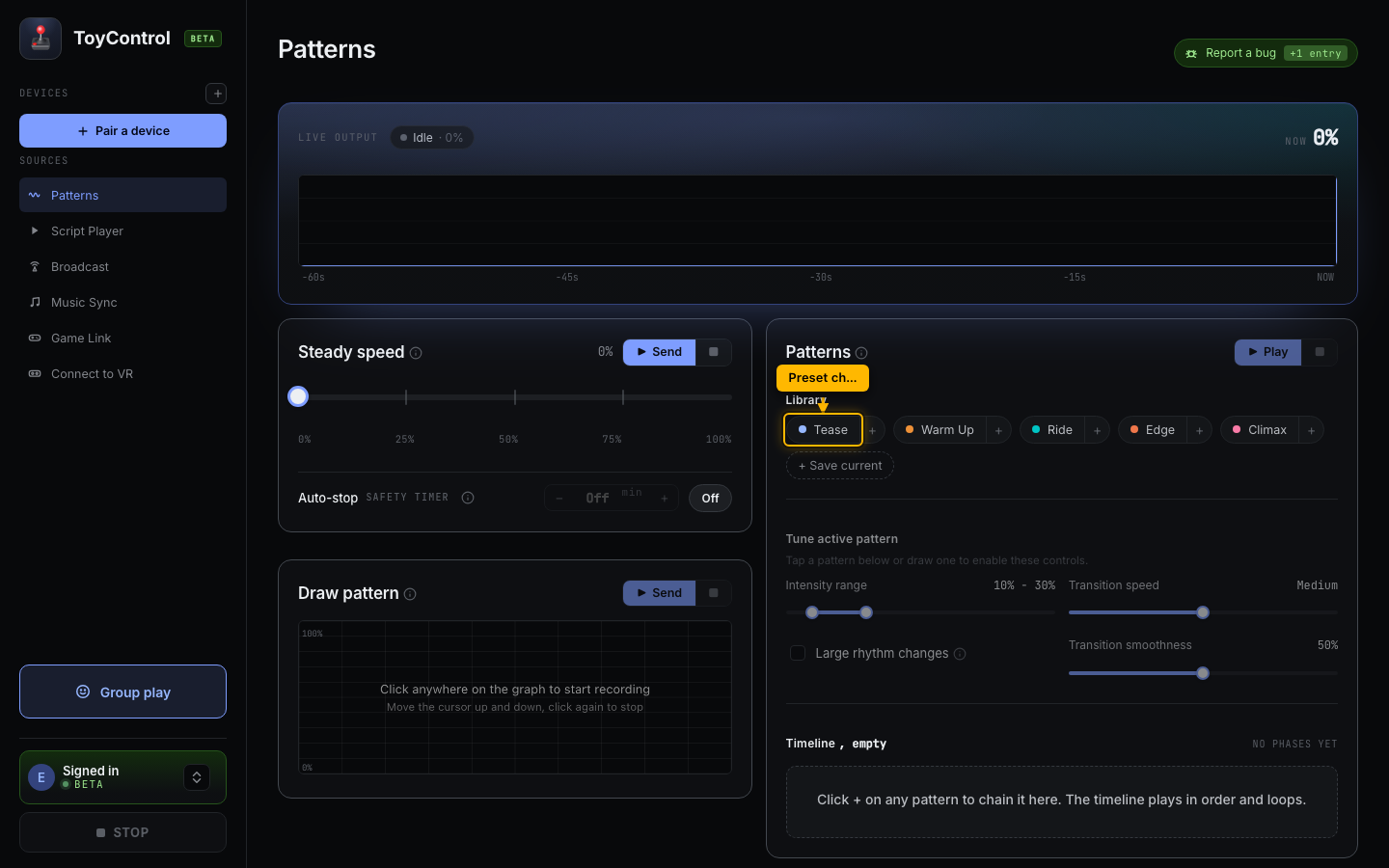
The five presets
Tease
Gentle, varied, slow rhythm. The toy never sits at one speed for long, but it also never gets aggressive.
Use for: long teasing sessions, warm-up time, anything where you do not want to commit yet.
Warm Up
Builds slowly from low to mid intensity. Less variation than Tease, more direction.
Use for: starting a session that will get more intense later.
Ride
Steady mid-range with mild variation. The toy spends most of its time around 50-60% with small ups and downs.
Use for: sustained sessions where you want a consistent feel without dramatic peaks.
Edge
Big swings between low and high. The toy alternates between barely-on and very strong, with abrupt changes.
Use for: edging play with strong contrast. Good with partner control.
Climax
Fast and high. Short rhythm, mostly upper intensity range.
Use for: the final stretch. Set a duration on the timeline and let it run.
How presets work
Each preset sets three knobs to a tuned combination:
- Intensity range (the minimum and maximum the toy can run at).
- Rhythm (how often the toy changes speed).
- Smoothness (whether changes are gradual or abrupt).
When you tap a preset, those three sliders move. You can adjust them after, and the preset becomes a starting point rather than a final answer. See Building your own pattern.
Chaining presets
If a single preset is not enough for a longer session, build a phase timeline. Add Tease for 5 minutes, then Warm Up for 10, then Edge for 10, then Climax for 5. Each phase fades into the next over 30 seconds.
See Chaining patterns into a longer session.
Try one
In the Patterns tab:
- Tap Tease to load the preset.
- Click Send preset.
- The toy starts.
If it does not feel right, tap a different preset. The switch is instant.