Pattern generator
Build custom rhythms for your toy without needing a video. Five presets and three knobs let you tune any session in seconds.
Patterns drive your toy with custom rhythms. No video required, no script, no setup. Pick a preset, hit play, and you have a session that lasts as long as you decide.
What it is
Patterns is the simpler half of ToyControl. The other half plays scripts that are timed to a specific video. Patterns just builds intensity over time, on its own, from a few simple settings you control.
It is good for solo sessions when you do not have a script. It is good for couples sessions when you want to focus on each other and not on a screen. It is good for warm-ups and cool-downs around other sources.
Who it is for
- Anyone who wants a toy session without setting up a video.
- Anyone who finds scripts too "all or nothing" and wants something gentler.
- Anyone who likes to build a session in advance with a clear shape (start gentle, build, peak, ease down).
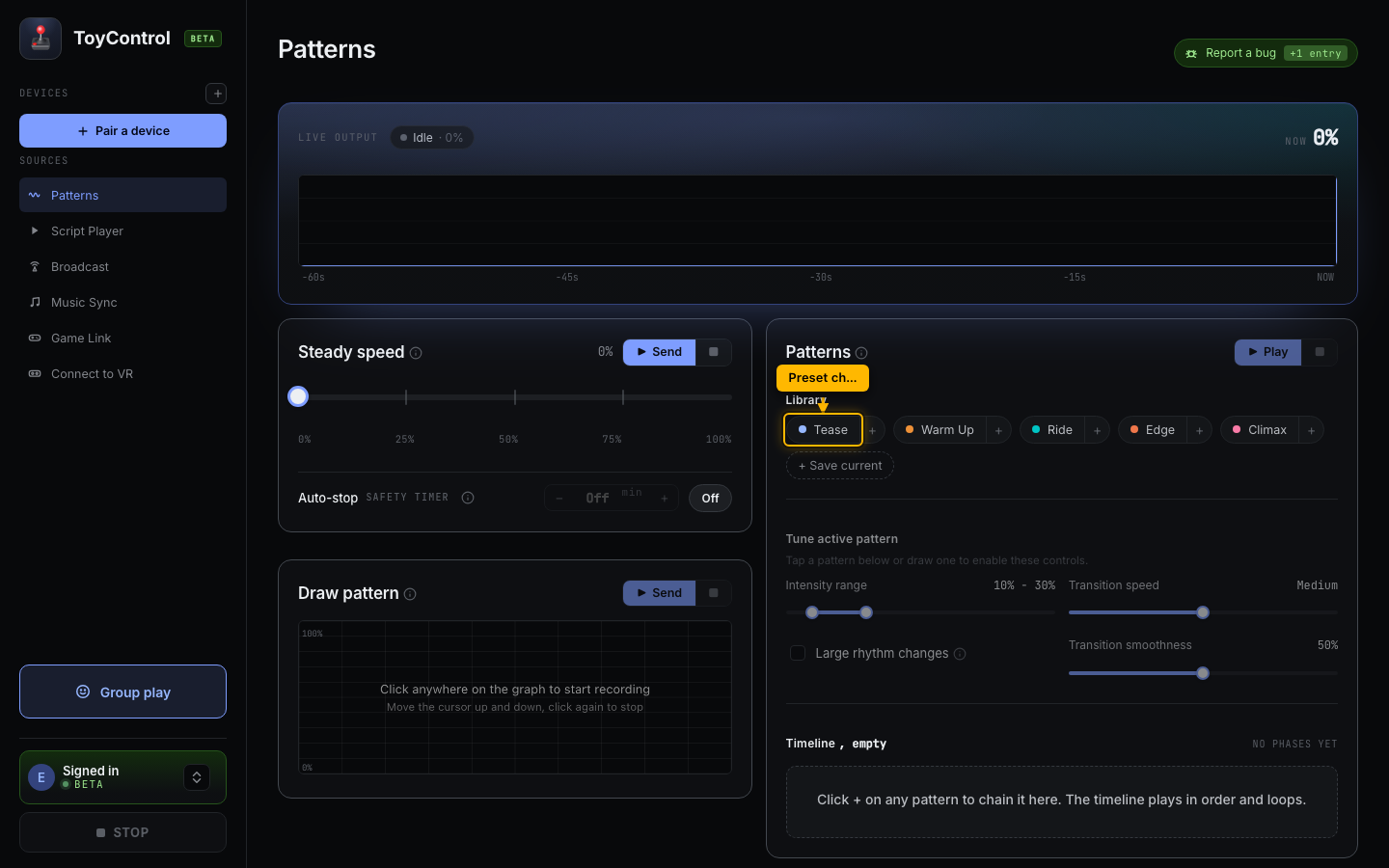
The five presets
ToyControl ships with five preset rhythms. Each one is tuned for a different mood. Tap a preset, hit Send preset, done.
- Tease. Gentle, varied, slow rhythm. For long teasing sessions where the toy never quite commits to one speed.
- Warm Up. Builds slowly from low to mid. For starting a session.
- Ride. Steady mid-range with mild variation. For sustained sessions without dramatic peaks.
- Edge. Big swings between low and high. For edging play with strong contrast.
- Climax. Fast and high. For the final stretch.
Each preset sets the three knobs (range, rhythm, smoothness) to a curated combination. You can also adjust the knobs yourself, and the preset is just a starting point.
The three knobs
If the presets do not match the feel you want, tune the knobs directly.
- Intensity range. The minimum and maximum the toy can run at. Wider range, more variation. Narrow range, more steady. A range from 20 to 80 is a good starting point.
- Rhythm. How often the pattern picks a new target speed. Very Slow is a new value every three seconds. Rapid is near-instant. The middle settings are most usable.
- Smoothness. Low values jump straight to the new speed, which feels jarring. High values ramp gradually, which feels teasing. Pick the feel you want.
A fourth toggle, Large rhythm changes, makes the pattern alternate between only the high end and only the low end of your intensity range. It creates dramatic high-low swings instead of random spread.
Steady speed
If you just want a constant speed (warm-up, ride, hold), set the Steady speed slider and click Send. The toy runs at that level until you stop it. It is the simplest possible session.
Chaining presets into a longer session
If a single preset is not enough for a full session, build a phase timeline.
A phase is a preset that plays for a set length of time. Each phase fades into the next over 30 seconds. A typical session might look like:
- Tease, 5 minutes.
- Warm Up, 10 minutes.
- Edge, 10 minutes.
- Climax, 5 minutes.
Total: 30 minutes of automatic rhythm with smooth transitions. You build it in less than a minute, hit Play timeline, and the rest takes care of itself.
See Chaining patterns into a longer session for the full walkthrough.
Patterns vs scripts
You might be wondering when to use Patterns and when to use Script Player.
- Use Patterns when you do not have a video, or you want a session that is not tied to one. Patterns are timeless.
- Use Script Player when you have a specific video and want the toy to match the action on screen.
Both work with the same paired toy, and you can switch between them at any time.
Try it
If your toy is paired:
- Click Patterns in the sidebar.
- Tap Tease as a starting point.
- Click Send preset.
That is the whole thing. Adjust the range or smoothness if it does not feel right, or pick a different preset.
Related
- Script Player, when you have a video.
- Remote Control rooms, if you want a partner to drive your patterns.
- Adding a second toy, if you want the same pattern to drive two toys.