Remote Control rooms
Share a 5-letter code with a partner and let them drive your toy from anywhere. Optional camera and mic, with safety limits on the receiver side.
Remote Control rooms connect two (or more) people in a small private space where one of them drives a toy. You create a room, share a 5-letter code, and start. Whether you are across the city or across an ocean, the toy responds in real time.
The receiver always has final control of the session: speed limits, disconnect, Stop button. Nothing the controller does can override those.
Quick setup
For the receiver (the person being controlled):
- Click Group play at the bottom of the sidebar.
- In the Start a room card, choose Private and click Start room.
- Copy the 5-letter code (or the shareable link).
- Share the code or link with your partner.
For the controller:
- Click Group play at the bottom of the sidebar.
- In the Join a room card, paste the link or type the 5-letter code.
- Click Join room.
- Drag the slider.
Done. The toy on the receiver's end moves with the controller's slider.
What it is
A room is a 5-letter code that two browsers can both join. One side has a toy. The other side has the slider. Anything the controller does on the slider, the toy follows.
You can also have several people in a room, with optional camera and microphone. Only one person drives at a time, but anyone in the room can ask for control.
Who it is for
- Long-distance couples who want a shared session across cities.
- Couples in the same room who want one person to focus and the other to play.
- Groups who want a shared moment with a single driver and several watchers.
For solo sessions without anyone else, see Script Player or Patterns.
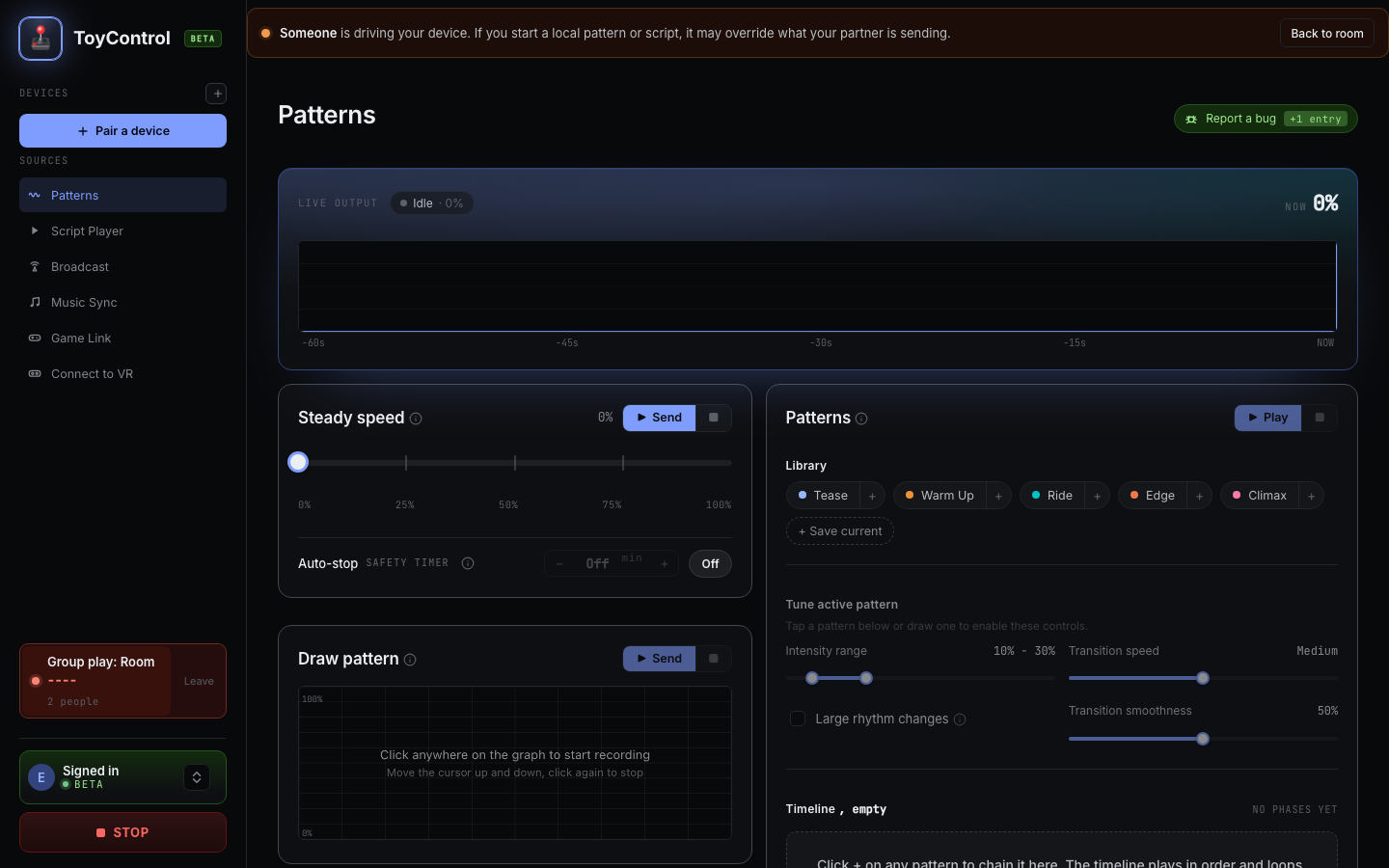
The receiver view inside a room, with the safety-cap slider highlighted:
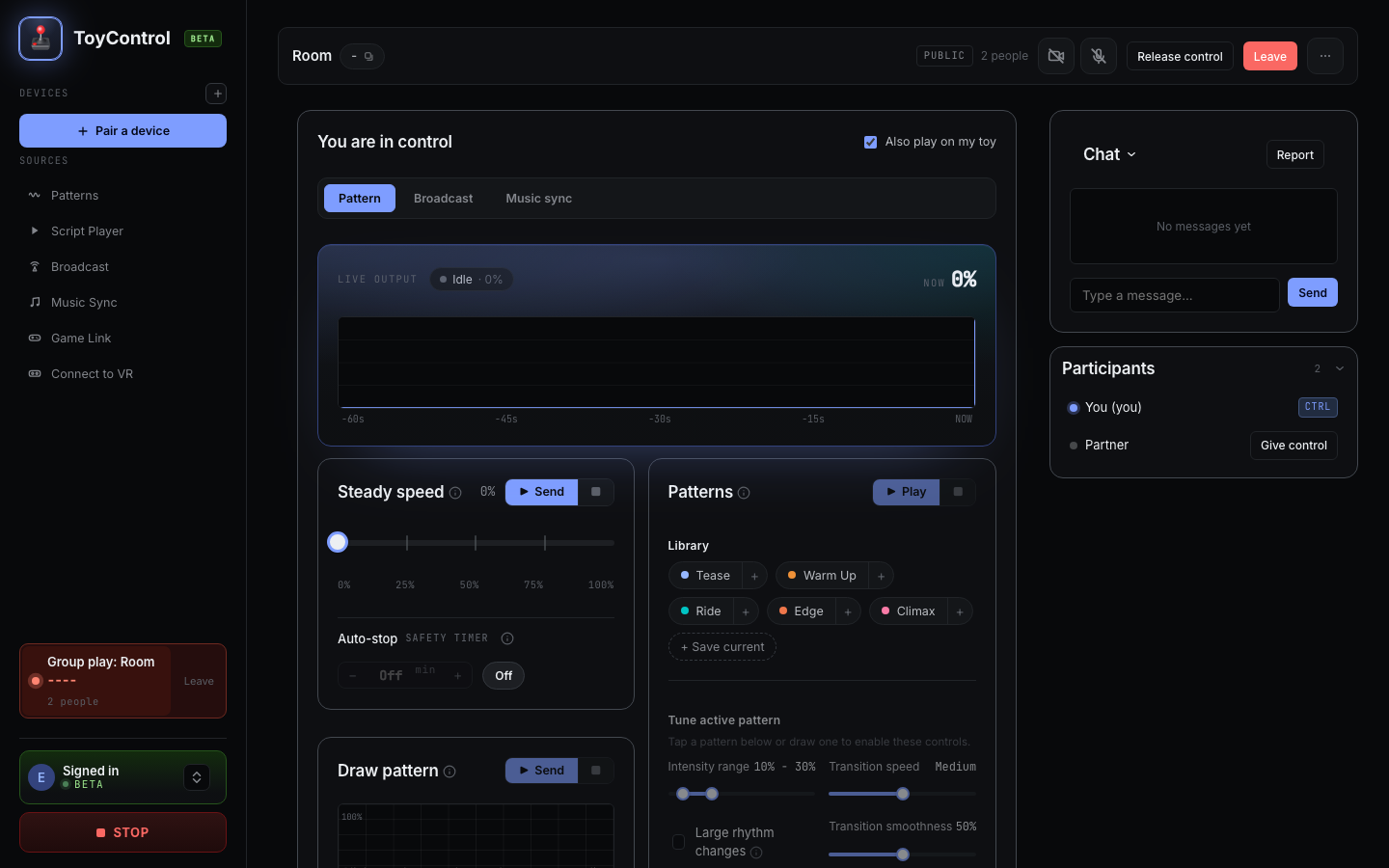
The controller view, with the big slider and pattern buttons:
What the controller can do
- Big slider, 0 to 100. Drag it. The toy follows in real time.
- Quick speeds. One-tap presets at 0, 25, 50, 75, 100.
- Random Tease. Procedurally-varying speed for 10 seconds.
- Pulse. A quick burst at the current speed.
- Draw Pattern. Sketch an intensity curve on a canvas, loop it if you want.
- Stop Pattern. Stop anything running.
What the receiver always controls
This is the safety boundary. Five things the receiver always has, no matter what the controller does:
- Max speed cap. Anything the controller sends above this is silently clamped down.
- Min speed floor. Anything below this is raised. Useful for "always on" sessions.
- The Stop button. Pause everything in the bottom bar. The toy goes silent.
- Disconnect. End the room any time. The toy goes silent.
- Camera and mic toggles. Each is off by default. The controller cannot turn them on for you.
The controller does not see your speed cap. They drag the slider; the toy responds up to your cap and stops responding past it. The controller has no idea what your max is.
A safe starting point for a first session with a new controller: max 70, min 0.
See Setting safe limits for someone driving your toy.
Public vs private rooms
| Private room | Public room | |
|---|---|---|
| Who can join | Only people with the 5-letter code | Anyone in the public lobby |
| Best for | Couples, known partners | Meeting new people, group sessions |
| Visible in lobby | No | Yes |
| Display name shown to | Only people who joined | Anyone in the lobby |
| Speed limits still apply | Yes | Yes |
Most couples use private rooms.
See Public rooms vs private rooms.
Camera and microphone
Camera and mic are optional. Each participant toggles them on or off independently. Up to six video tiles fit in a single room. The local camera is mirrored (so it looks like a mirror, not a backwards image to the others). Audio from your own tile is muted on your side to prevent echo.
A pulsing red banner at the top of the window warns whenever your camera or mic is live, so you cannot forget.
Camera and audio go peer-to-peer between participants. Nothing transits our servers, and nothing is recorded on our side.
Handing off control
Only one person drives at a time, but control can pass.
- A guest clicks Request control.
- The current controller sees a side toast and clicks Grant or Decline.
- The host can grant unilaterally and revoke at any time.
- When the controller leaves the room, control vacates automatically.
See Letting your partner take control.
Chat
A text chat is included in every room. Useful for short messages when you do not want voice on. Messages stay in the room only; nothing persists after the session ends.
What you need
- One person with a paired toy (or both, for two-way sessions).
- A web browser open to ToyControl on each side.
- A Pro subscription (or the 10-hour free trial) on the side with the toy. Remote Control rooms are a Pro feature after trial.
Privacy
- The toy is paired with the receiver's own browser. Nobody else's computer ever touches it directly.
- Camera and audio go peer-to-peer between participants, with no recording.
- Chat messages are not stored after the session ends.
For the full posture, see How private is ToyControl really.
Try it
You and a partner each open toycontrol.app. One of you pairs a toy, creates a room, and shares the code. The other one joins, picks up the slider, and presses play. The full first session is under two minutes.
Frequently asked
How long are the room codes? Four letters.
Can I have more than one controller? Yes. Several people can be in a room. The current controller decides when to hand off.
Does the controller need a Pro subscription? Only the side with the toy needs Pro. The controller can be on the free tier.
Are sessions recorded? No.
What if my partner closes their browser? Control vacates automatically. If they were the controller, the toy goes silent. If they were the host, the room closes.
Can I do this with someone overseas? Yes. The latency over a typical international connection is fine for slider control (under 200 ms feels instant).